 Kaldera
The vault is captured
A snapshot records the current state of your vault, either when you press the button or on the schedule you configured.
Product / History and recovery
Deleted records stay recoverable for 15 days, every item keeps its own password history, and encrypted snapshots let you travel back without asking anyone.
Deletion is not destruction. Removing an entry moves it into an encrypted local trash that is cleaned automatically after fifteen days, and you can restore it or purge it at any point inside that window.
Every item keeps its own password history, so you can see what a password used to be and roll it back when it turns out to have been rotated somewhere you forgot about.
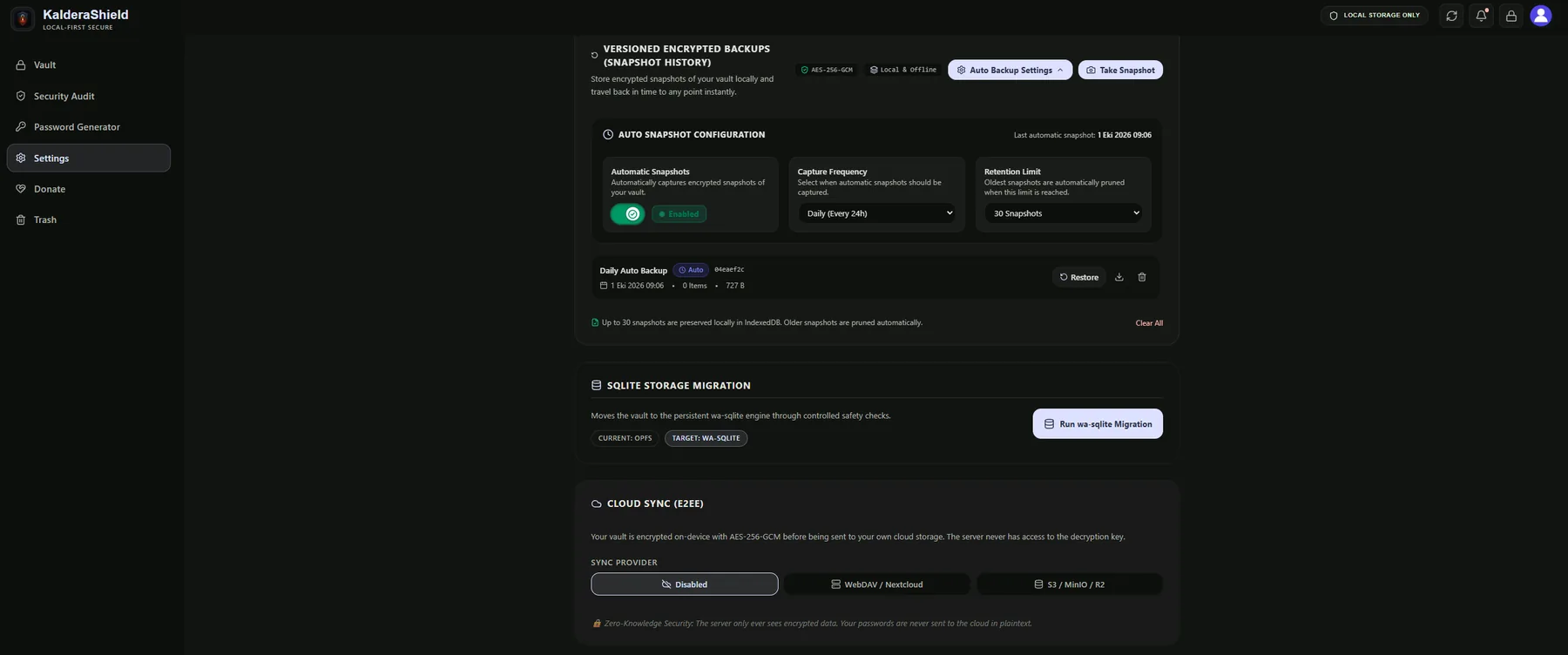
Snapshots are versioned: the app can take one on demand or automatically on a schedule you choose, encrypts each before writing, and prunes the oldest once your retention limit is reached.
A snapshot records the current state of your vault, either when you press the button or on the schedule you configured.
Each snapshot is encrypted on device before it is written to storage, so a snapshot file is never readable on its own.
Once the retention limit is reached the oldest snapshots are removed, so the local history cannot grow without bound.
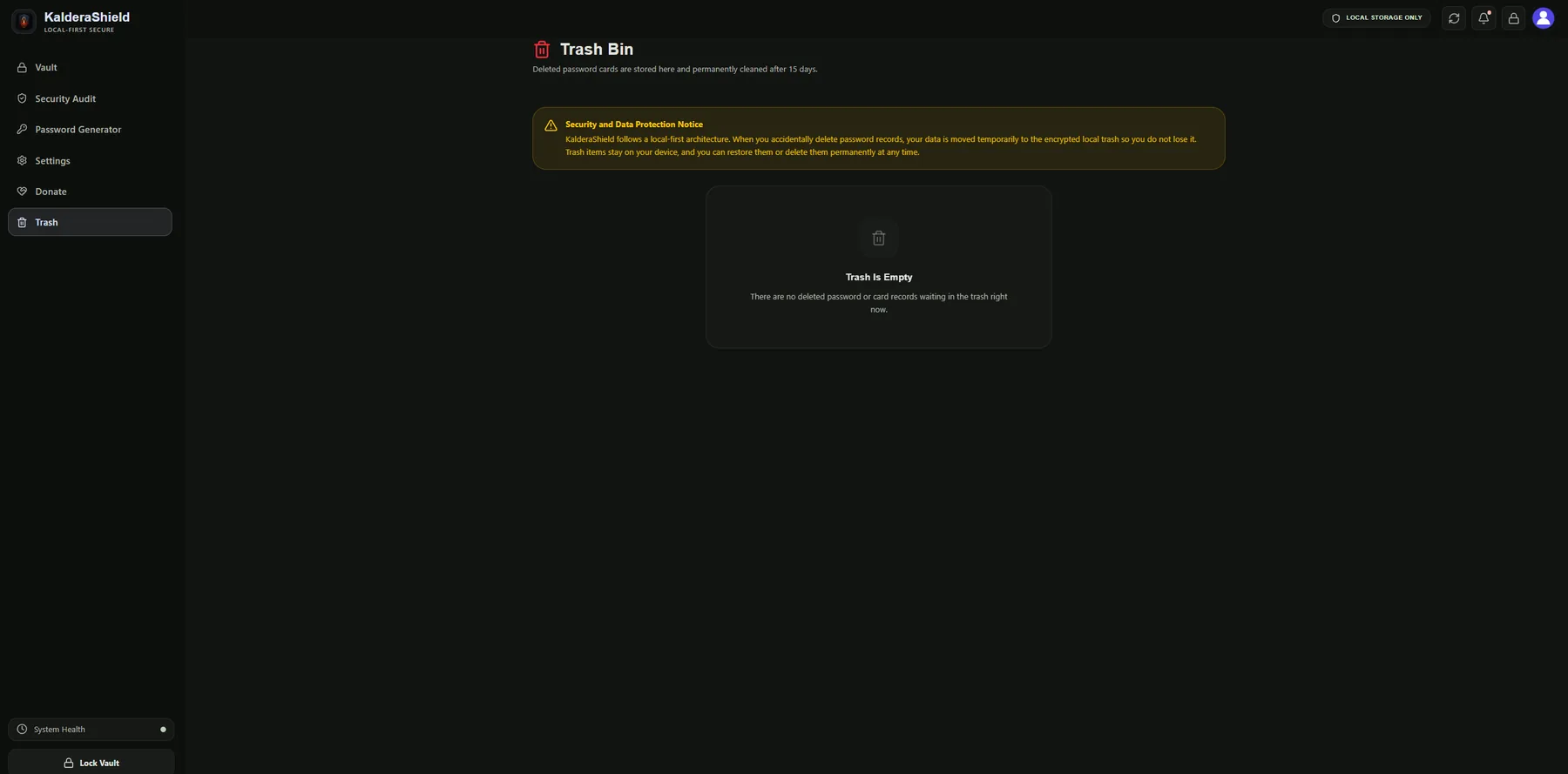
The trash explains its own behaviour in the product: deleted records stay on your device and can be restored or permanently removed at any time inside the window.
Local snapshots and exported backups are encrypted with Argon2id and AES-256-GCM, and the password for an exported backup can be your master password. Optional cloud sync is off by default; if you enable it against your own WebDAV or S3 storage, your vault is encrypted on the device before it is sent, so the provider only ever receives ciphertext. That convenience depends on your storage account staying reachable — the vault file itself remains portable and restorable without it.
A snapshot or exported backup is encrypted on device, so the file is useless on its own without your password.
Sync providers receive ciphertext only. Nobody but you can decrypt what you store there.
Bitwarden, LastPass, 1Password, Chrome CSV and JSON exports are processed entirely on your device.
Not for fifteen days. It sits in an encrypted local trash that you can restore from or purge early.
No. Snapshots, encrypted exports and restores all work on a single device with no account and no network.
Nothing prevents it, but note that exports are your choice: use the encrypted backup format rather than a plaintext JSON dump if you want the file to stay protected.