 Kaldera
You add the file
Drag a file into the record, or pick one. The size limit is 250 MB per file.
Product / Attachments
Recovery codes, identity documents, certificates and warranty files attach to the record they belong to, and they are encrypted with that record rather than sitting in a plain downloads folder.
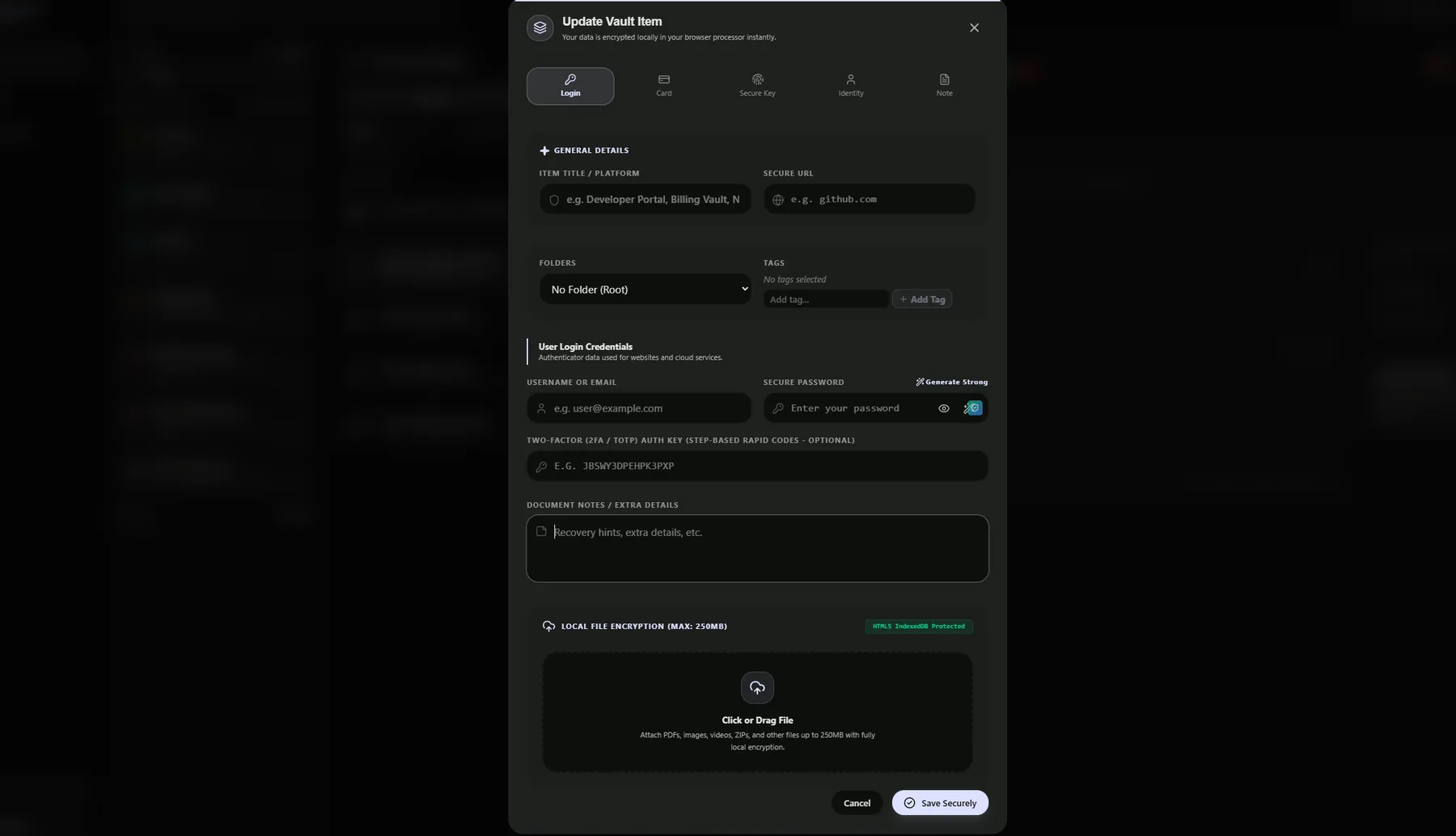
An attachment belongs to a record. Delete the record and the file goes with it, and restore the record and the file comes back with it. It is stored the way the record is stored, not as a loose file somewhere in your profile.
The file is encrypted on your device before it is written. A single record can hold up to 250 MB, so a scanned ID, a certificate bundle or a short video fits inside the encrypted database rather than in plaintext on disk.
Attachments follow the record when you export an encrypted backup, which means a full restore on another device brings the files along with the credentials.
Drag a file into the record, or pick one. The size limit is 250 MB per file.
The content is encrypted on the device using the same scheme as the record it belongs to.
Only ciphertext is written to the encrypted IndexedDB; nothing readable is left behind on disk.
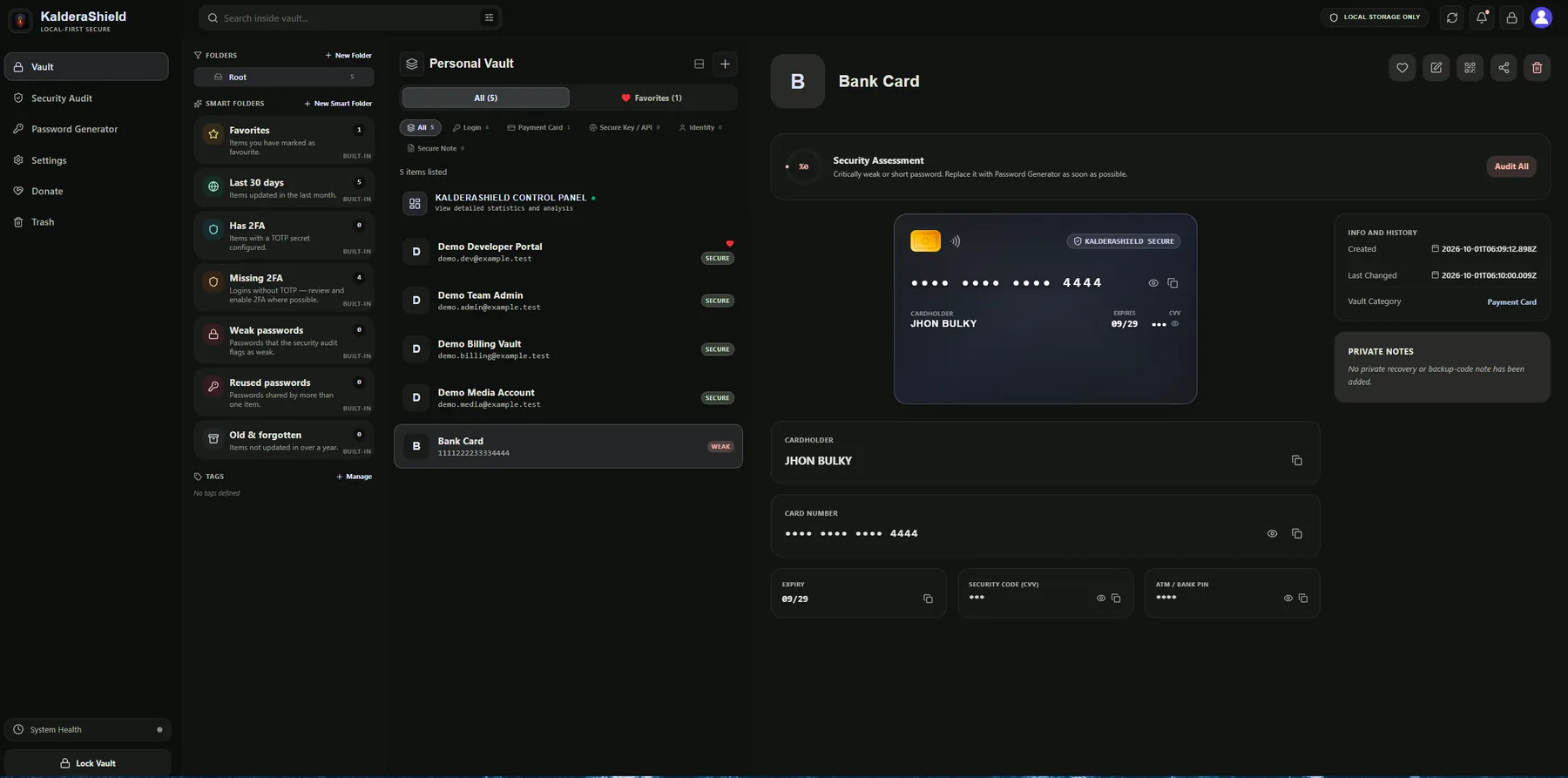
Payment cards keep their number, expiry, CVV and ATM PIN in separate masked fields, with the file attached alongside them under one encrypted record.
An attachment is encrypted at rest like the rest of your vault, so a stolen device file does not hand over your documents. It does not change the rest of the model: a weak master password, a compromised device or a vault you have already unlocked still exposes what is inside. Attachments make a record larger and more valuable, not safer than the record itself. Treat a vault holding identity documents as more sensitive than one holding only passwords.
Enough for a scanned document, a certificate bundle or a short clip without leaving encrypted storage.
Files land in an encrypted IndexedDB rather than the plain filesystem.
Attachments are included in an encrypted backup and restored together with the credential.
The editor accepts the common document, image, video and archive types and encrypts whatever it accepts. A single file is limited to 250 MB.
Yes, after restoring the encrypted backup. The file travels with the record rather than as a separate download.
They follow the record into the encrypted trash for the same 15 day window, and are removed with it if you delete permanently.