 Kaldera
Your device creates the key pair
The private key is generated inside the platform authenticator — TPM 2.0, Secure Enclave or AndroidKeyStore — and is not exportable.
Product / Passkeys
Create WebAuthn credentials inside your own vault, bound to the authenticator your device already has. Nothing is registered with a third party.
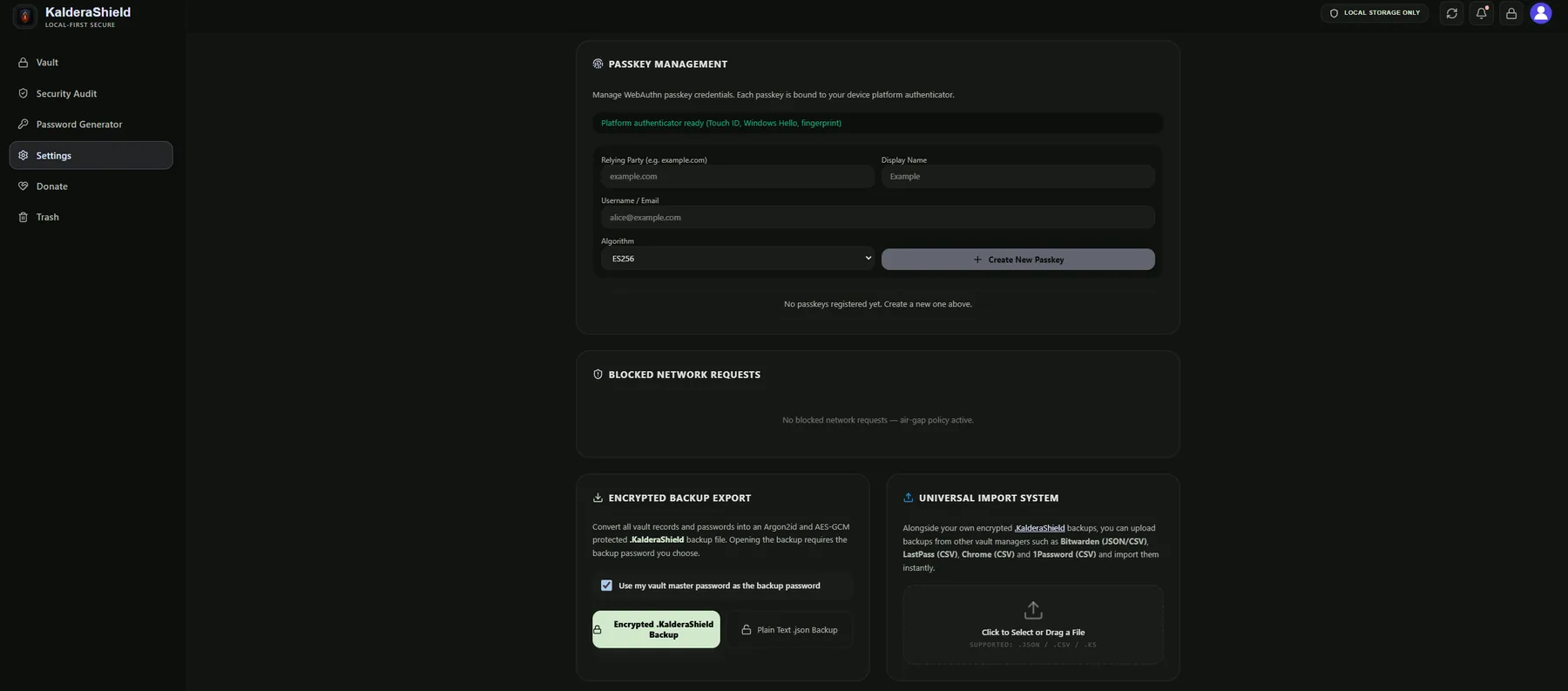
A passkey is created through the WebAuthn API of your platform, so the private half of the credential never enters the vault in a usable form and never leaves your device. The vault stores the credential id and its metadata so you can recognise and revoke it later.
The page reports which authenticator is available before you create anything, and lets you choose the relying party, display name, account and signature algorithm.
Passkeys sit alongside the rest of the vault rather than in a separate system, so they are encrypted, searchable and restorable in exactly the same way as a password.
The private key is generated inside the platform authenticator — TPM 2.0, Secure Enclave or AndroidKeyStore — and is not exportable.
Only the credential id and display metadata are saved, encrypted with the rest of the vault.
Because the private key is non-exportable, a signature for a site cannot be produced by anything other than the authenticator itself.
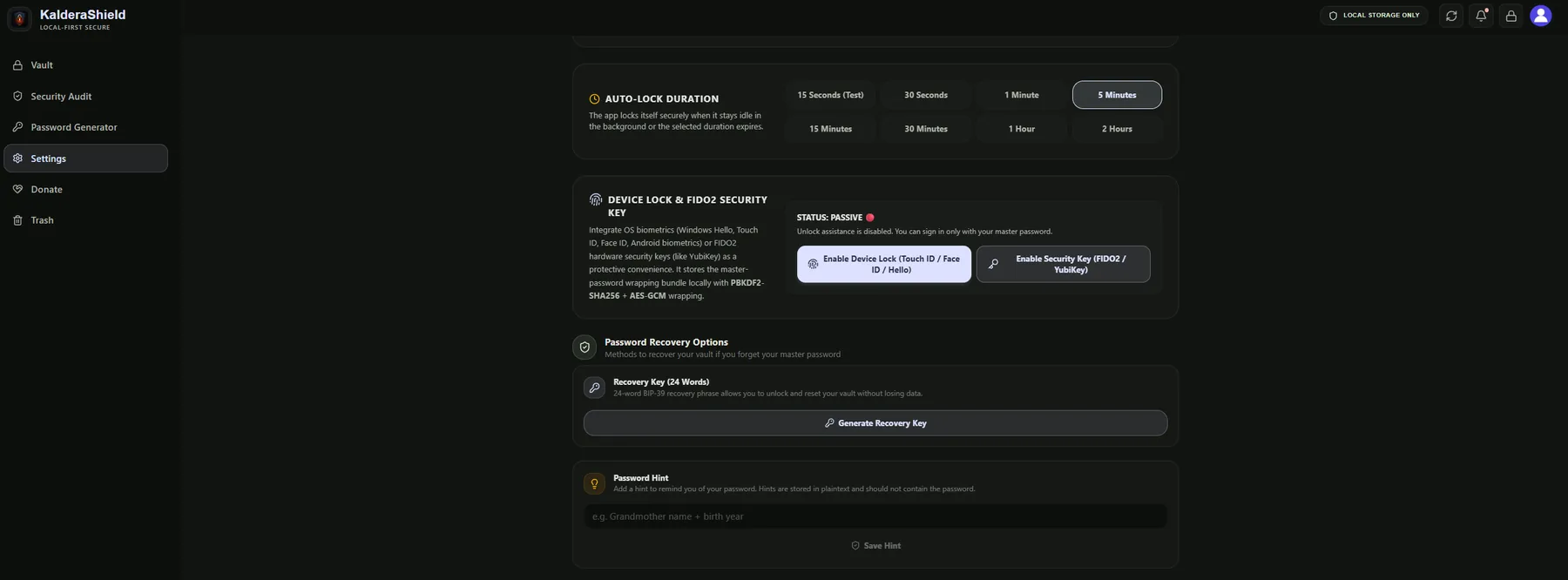
The same settings panel holds the FIDO2 and biometric unlock options, so passkeys and hardware-bound unlocking live together rather than in separate products.
A passkey replaces the password at a site; it does not replace your vault. If you lose the device holding your authenticator and have no passkey stored elsewhere, that credential is gone with it. Passkeys also only help at sites that support WebAuthn, which is most large services and a growing share of smaller ones.
Credentials are created through the WebAuthn API, so they are the same kind of object any compliant site expects.
Hardware-backed authenticators generate the key pair and never release the private half, so copying your vault does not copy the credential.
Credential records are encrypted by the same per-item key scheme as the rest of your vault.
Yes. The vault itself is unlocked by your master password and secret key. A passkey only replaces the password at the specific sites where you register one.
Any platform authenticator your device exposes: Windows Hello, Touch ID, Face ID, Android biometrics, or a FIDO2 security key such as YubiKey.
That specific passkey is lost with its authenticator. Your vault, its passwords and its backups are unaffected, because those never depended on that device.