 Kaldera
Linux
DEB, AppImage, or an inspectable, verifiable CLI script. All distributions.
Version 7.0.20 — Live
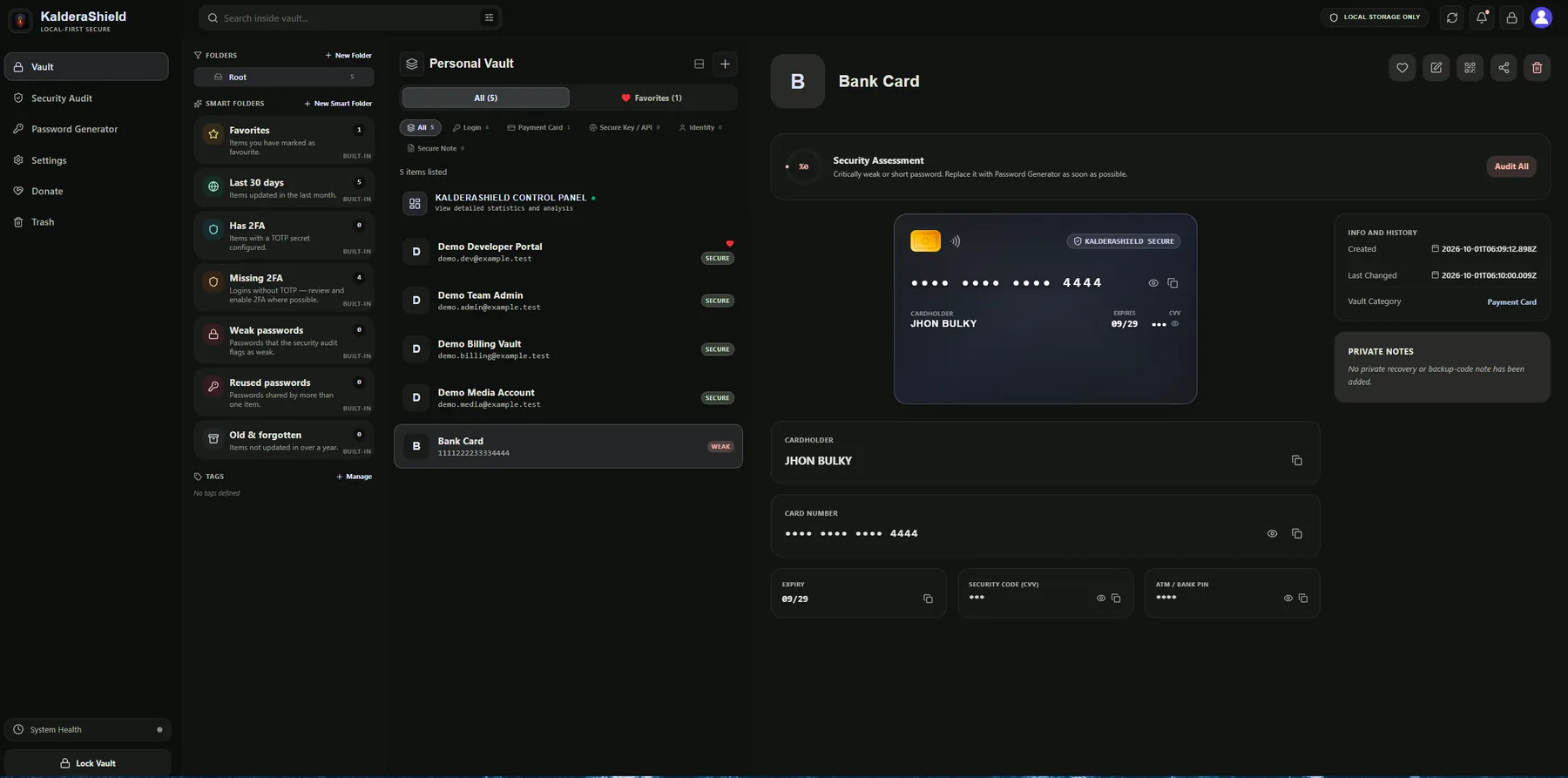
KalderaShield is a local-first, open-source credentials manager built with zero-knowledge security architecture, requiring no internet connectivity or third-party cloud infrastructure.
Downloads are served from GitHub Releases; every release is published with its SHA-256 digest and signatures.
DEB, AppImage, or an inspectable, verifiable CLI script. All distributions.
Android 9.0 and later. Universal or architecture-specific APK.
Chrome, Firefox, Edge, Brave and Safari (MV3 / Native Messaging).
Download and inspect the script first, verify its signature, then run.
Windows 10 64-bit and later. Setup wizard, MSI or portable build.
In development — code signing in progress.
An architecture designed for frictionless productivity without lowering security boundaries.
Your credentials live in your browser or desktop app's isolated Origin Private File System directly inside a native SQLite database. 100% resilient to network outages.
The desktop application communicates with the extension over a dynamically selected loopback TCP port. A pairing token authenticates the connection, and XChaCha20-Poly1305 encrypts message frames.
The network policy restricts unexpected outbound connections. Offline use is supported; enabled features and configuration can affect network behavior.
Vault data is encrypted on-device. Protection depends on master-password strength, the KDF parameters stored with the vault, device security, and how the application is used. No cryptographic design guarantees protection in every attack scenario.
Every record is encrypted using an isolated 256-bit AES-GCM key derived via WebCrypto HKDF-SHA256 per item.
Argon2id raises the cost of offline password guessing. Defaults: Tauri native desktop/Android, 64 MiB / 4 iterations / 2 lanes; Web/WASM, 32 MiB / 3 iterations / 1 lane. Existing vaults keep their stored parameters.
The master password and derived keys are processed client-side. Protection also depends on the security of the device running the application and the user's environment.
Full Mozilla Public Suffix List (10k+ rules) eTLD+1 domain isolation and closed Shadow DOM autofill protection.
One-click install via Chrome Web Store. Manifest V3 compliant with F6 security hardening.
Officially signed via Firefox Add-ons (AMO). Passed Mozilla's stringent security review.
Native Safari extension optimized for macOS Sonoma and above. Signed via Apple App Store.
Nothing on this page contacts a server. Every step runs on the device you are reading it on.
It never leaves this device in any form, and there is no reset link, because there is no account to reset.
The password is stretched into a key with Argon2id, then HKDF-SHA256 splits it into an isolated key for each record.
The vault file on disk holds ciphertext and its authentication tag. Reading one without the key fails rather than returning a wrong value.
Biometrics, a security key or the 24-word recovery kit release the key again on this device. No network request is involved.
| Security & Architecture Criteria | KalderaShield | Cloud Password Managers | Legacy Offline Tools |
|---|---|---|---|
| Server requirement | None | Required | None |
| Account requirement | None | Required | None |
| Data location | On your device | On the vendor's server | On your device |
| Works without a network | Full | No | Full |
| Open source | Yes | No | Varies |
This table is an architectural summary based on project documentation and source code published as of September 23, 2026; it is not an independent comparative test. Other products vary by version, plan, and configuration. Third-party features have not been independently verified here.
Security documentation and an external audit scope are published. No completed independent third-party report has been published yet.
Free, open source, serverless. Download, verify and keep your vault on your device.